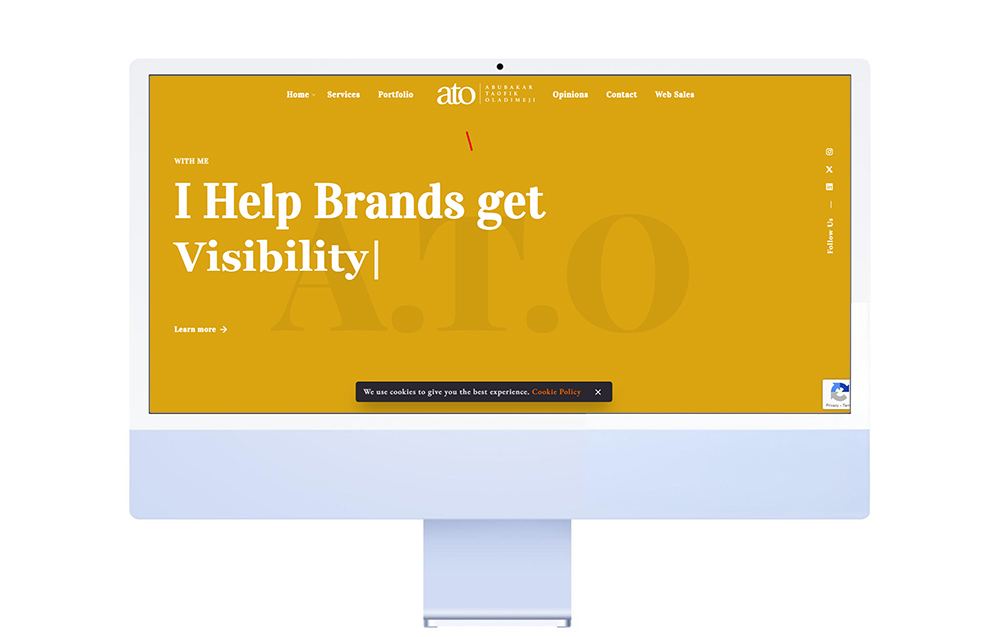
During my final course at the Salford Business School, I discovered something significant. While my classmates were some of the smartest and most creative individuals I’ve encountered, many of them didn’t understand the importance of having a professional website or portfolio over a free subdomain.
Perhaps the process seems too complex for them to grasp. That’s why I decided to write and simplify the seemingly intricate world of building a stunning website with WordPress.
Have you ever dreamt of having a website that not only showcases your brand or creativity but also captivates your visitors? With WordPress, transforming that dream into reality is easier than ever – and you don’t need to be a coding whizz to do it! This guide will walk you through the five essential steps to build a visually stunning website using WordPress, all without writing a single line of code.
Imagine a website that boasts:
- Crisp, high-quality images that showcase your products, services, or portfolio in their best light. (Check out royalty-free image sources like Pexels or Unsplash to find stunning visuals.)
- Eye-catching videos that engage your audience and tell your story dynamically. (Many themes support video embeds from platforms like YouTube or Vimeo.)
- A clean, modern layout with a clear and intuitive navigation system that makes it easy for visitors to find what they’re looking for.
Popular WordPress Themes to Spark Your Creativity:
WordPress offers a vast library of themes, both free and premium, designed to cater to a variety of website needs. Here are a few trending and user-friendly options to get you started:
- For Businesses: Astra is a versatile theme known for its lightning-fast loading speed and extensive customisation options.
- For Blogs: Divi is a powerful theme that comes with a drag-and-drop page builder, making it easy to create stunning blog layouts.
- For Portfolios: Enfold is a popular choice for showcasing creative work with its clean, minimalist aesthetic and portfolio-specific features.
Make it Your Own: Customize Fonts, Colors, and Layouts
Most WordPress themes come packed with customisation options that allow you to tailor the look and feel of your website to perfectly match your brand identity. You can easily change fonts, adjust colour palettes, and modify layouts to create a website that’s truly unique and reflects your vision.
Now, let’s dive into the 5 easy steps to build your dream website with WordPress:
Step 1: Get a Domain Name and Hosting
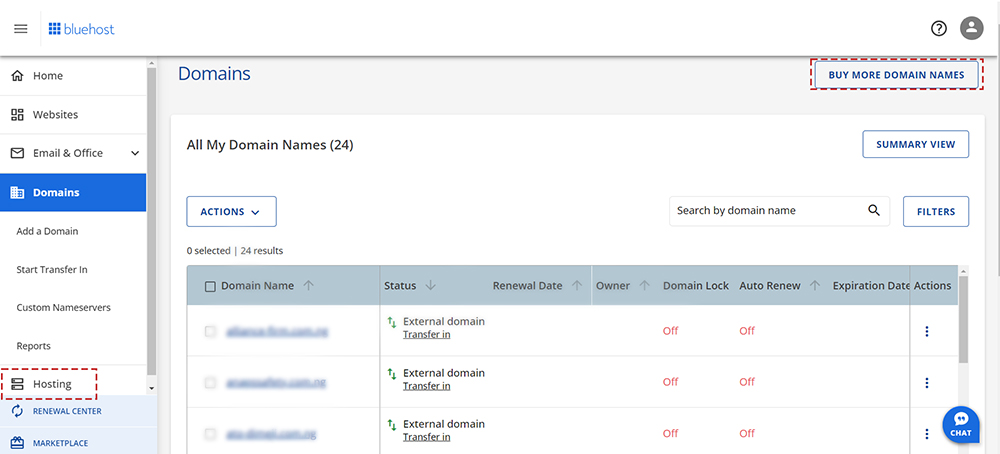
Think of your domain name as your website’s address on the internet (e.g., yourbusiness.com). Web hosting is the service that provides the storage space for your website’s files and makes it accessible online.
Here are some resources to get you started:
- Domain Name Registrars: Popular choices include GoDaddy, Namecheap, smartweb and Google Domains.
- WordPress Hosting Providers: Bluehost, Hostinger, and DreamHost offer reliable and affordable WordPress hosting plans.
Note: I use Bluehost, but these are just a few options. Feel free to choose any provider that suits your needs.
Step 2: Install WordPress
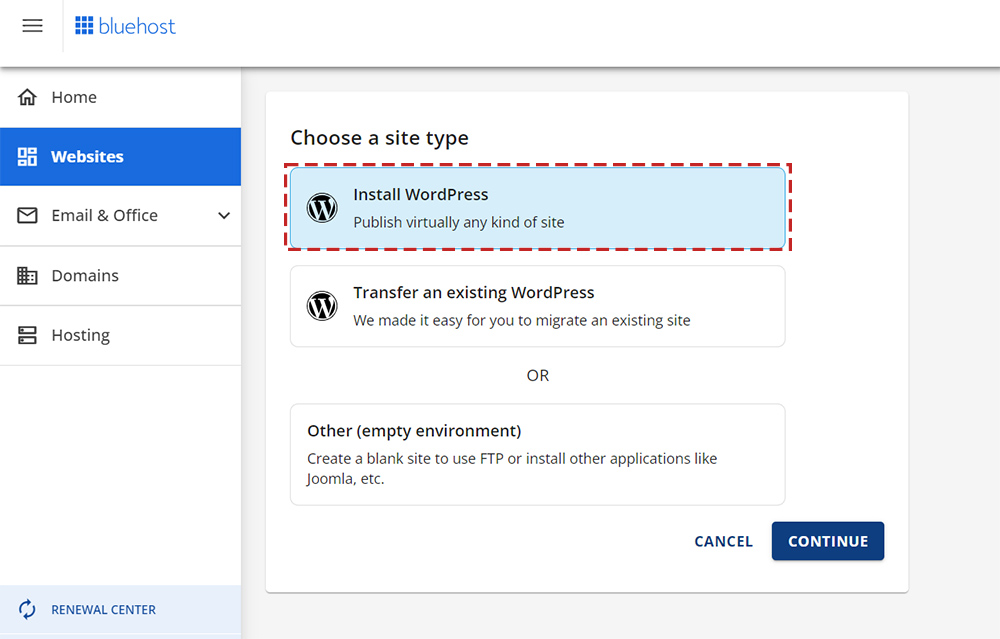
Many hosting providers offer one-click WordPress installation, making it a breeze to get started. If your provider doesn’t offer this option, you can still install WordPress manually. (Find a helpful guide here.)
Step 3: Choose a Theme
This is where the fun begins! With thousands of themes available, you’re sure to find one that perfectly matches your website’s vision. Here’s a breakdown of your theme options:
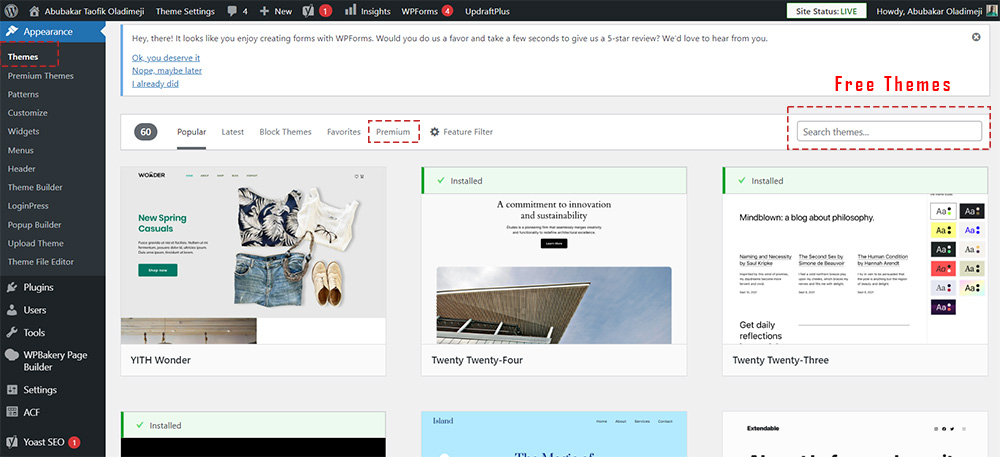
- Free Themes: WordPress offers a wide selection of free themes in its built-in directory. While they may not offer as many features as premium themes, they are a great starting point.
- Premium Themes: Premium themes often come with additional features like advanced customisation options, pre-built layouts, and premium support.
Finding and Installing Your Theme
Once you’ve installed WordPress, you can find themes by navigating to Appearance > Themes in your dashboard (as shown in the image above). Once you’ve found your ideal theme, installing it is as simple as a few clicks within your WordPress dashboard.
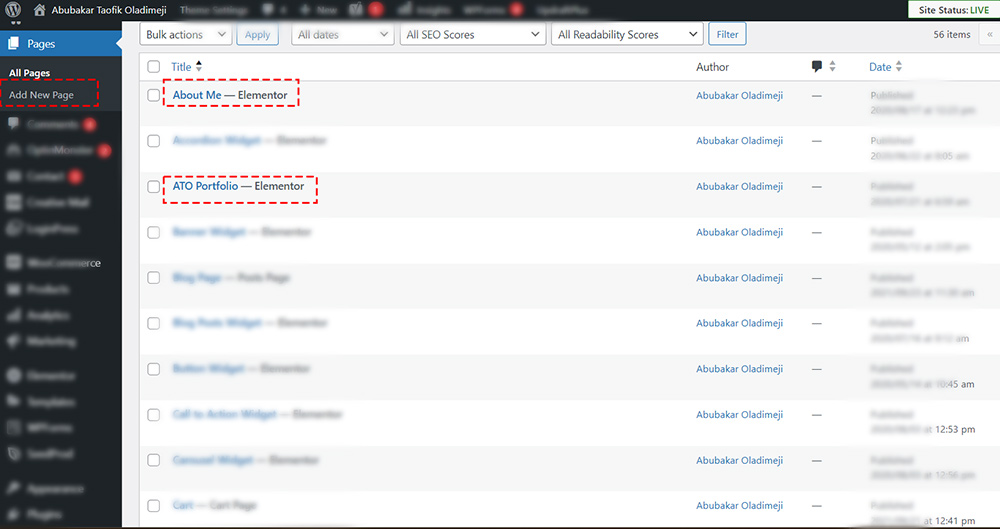
Step 4: Create Essential Pages
Most websites typically include a few essential pages:
- Homepage: This is your website’s main landing page and should provide a clear overview of who you are or what you offer.
- About Us: Tell your story and connect with your visitors by sharing your company’s mission, values, and team members.
- Portfolio: Showcase your work to your visitors – you never know which of them could be a potential client.
- Contact: Make it easy for visitors to reach you by including your contact information and a contact form.
Step 5: Add Engaging Content
Content is king! Fill your website with informative, engaging, and well-written content to drive traffic to your website and capture your audience’s attention. Here are some tips:
- Use subheadings and bullet points to break up your text and make it easier to read. Chunking information into easily digestible sections keeps visitors engaged and allows them to quickly scan for the details they’re most interested in.
- Incorporate high-quality images and videos to visually enhance your content and keep visitors engaged. People are drawn to visuals, and strategically placed images and videos can significantly improve the user experience. Remember to optimise image sizes to avoid slowing down your website’s loading speed.
- Include calls to action (CTAs) to encourage visitors to take the desired action. Do you want visitors to subscribe to your newsletter? Contact you for a quote? Download an ebook? Tell them what you want them to do with clear and compelling CTAs. These can be buttons, text links, or even interactive elements within your content.
Conclusion
Building a stunning website with WordPress isn’t as daunting as it may seem. By following these five essential steps, you can create a professional, visually appealing website that effectively showcases your brand or creativity. Whether you’re starting a new business, building a personal portfolio, or enhancing your online presence, WordPress provides the tools and flexibility to bring your vision to life.
Remember, the digital landscape is constantly evolving, so stay curious, keep learning, and don’t be afraid to experiment with new features and designs. With determination and creativity, your website will not only captivate your visitors but also achieve your goals.
Happy website building!